Your cart is currently empty.

Continue Shopping
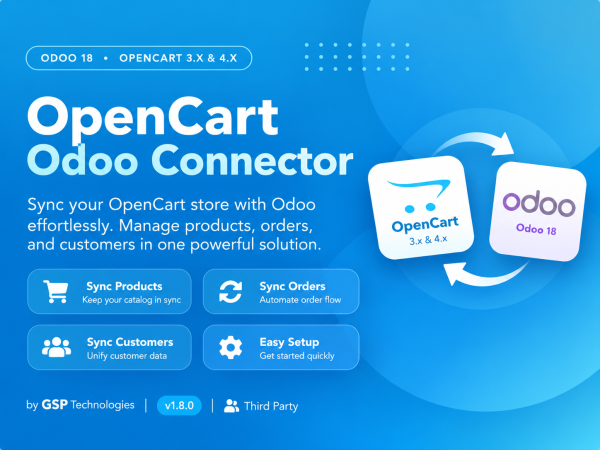
Odoo 18 · OpenCart 3.x & 4.x · Multi-StoreKeep OpenCart & Odoo perfectly in sync

A complete, self-contained connector that syncs your products, variants, stock, prices, orders and customers both ways — automatically. Connect one Odoo to many OpenCart stores, push your catalog out, pull every order in, and write shipment tracking back. No middleware, no extra base app.

Two-way sync
Real-time stock
Multi-store
Auto & manual sync
Full sync logs
What gets syncedProducts, inventory, orders, customers & more

↔ Both directions · » Odoo to OpenCart · « OpenCart to Odoo

📦 Products

Products & Variants

↔

Prices

↔

Product Images

»

Categories

↔

Attributes & Options

»

📋 Orders

Order with all details

«

Taxes, Shipping, Discounts

«

Order status mapping

«

Mark shipped + tracking

»

Cancel orders

↔

👥 Customers

Customers

«

Billing address

«

Shipping address

«

De-dup by email

«

💳 Inventory

Stock levels

»

Scheduled stock sync

»

Per-warehouse source

»

Variant-level stock

»

Everything a store needsBuilt to run your store on autopilot
Connect multiple stores

Link one Odoo to as many OpenCart sites as you like. Each instance has its own credentials, warehouse, pricelist, tax and sync options.

Export your catalog

Push products, variants, images, prices and categories to OpenCart in one click — create new products or update existing ones automatically.

Never oversell — real-time stock

On-hand quantities flow to OpenCart on a schedule, right down to each variant, so your storefront always shows the truth.

Orders become Odoo sales

Every OpenCart order lands as a native Odoo sale order — with line items, taxes, shipping, discounts and the customer & addresses created for you.

Ship & write tracking back

Confirm and deliver in Odoo, and the order is marked processing then completed in OpenCart — with the tracking number posted as an order note.

Automatic + manual sync

Scheduled jobs keep orders and stock flowing in the background, while one-click Sync Now buttons let you run any sync on demand.

Full sync logs & retry

Every API call is logged with request, response and status. Spot failures instantly and re-run them with a single Retry click.

One-click bridge install

A lightweight companion extension (shipped for OpenCart 3.x & 4.x) is installed from Odoo in one click — download the token-stamped .ocmod.zip and upload it via Extensions → Installer. No coding, no manual tokens.

Built for real storesThe details that make sync actually work
Safe one-way stock

Pick the inventory master — Odoo→OpenCart or OpenCart→Odoo. Stock flows one way so the two systems never overwrite each other.

Real sale prices

Regular & sale price map to Odoo’s selling price + comparison (strike-through) price. Per-variant prices are handled via pricelist rules.

No duplicates, ever

Products, customers and orders are matched by their OpenCart ID and updated in place — re-syncing never creates copies.

Every field mapped

Variants, images & gallery, categories, tags, barcode/GTIN, weight, dimensions, descriptions, and out-of-stock behaviour.

Responsive background sync

Big imports run in background jobs, so buttons return instantly and the Odoo UI never freezes.

Built-in help

A full Documentation & Help page ships inside the app, including the complete field-mapping reference.

See it in actionFrom connection to order — end to end
Connect in minutes — one-click bridge

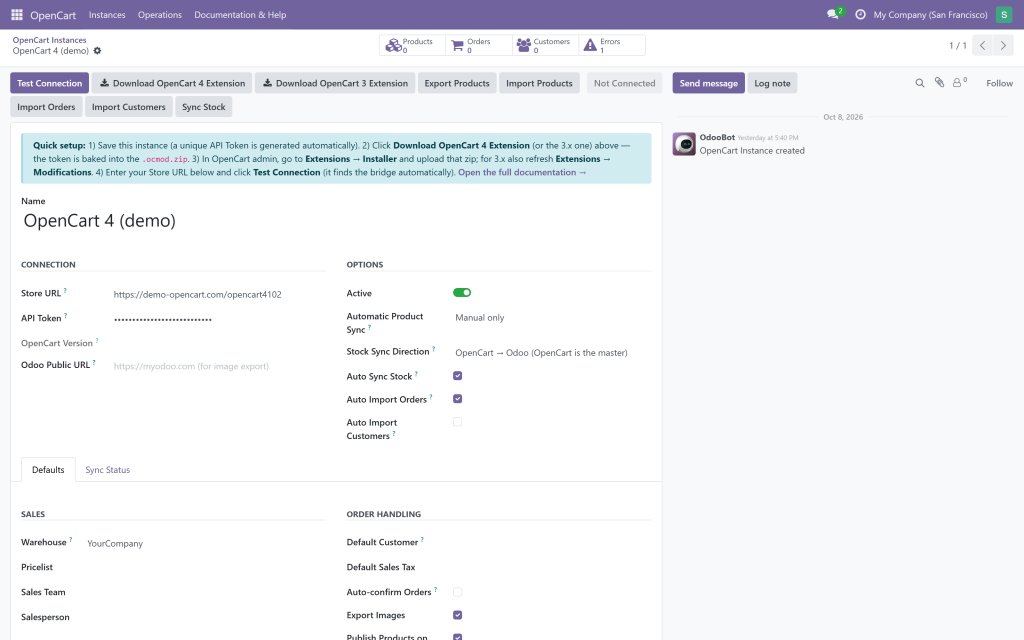
Download the OpenCart 4 or OpenCart 3 extension (token baked in), install it via Extensions → Installer, enter your Store URL and hit Test Connection. Set the warehouse, pricelist, tax, stock direction and sync options; smart buttons show products, orders, customers and errors at a glance.

Every product linked & in sync

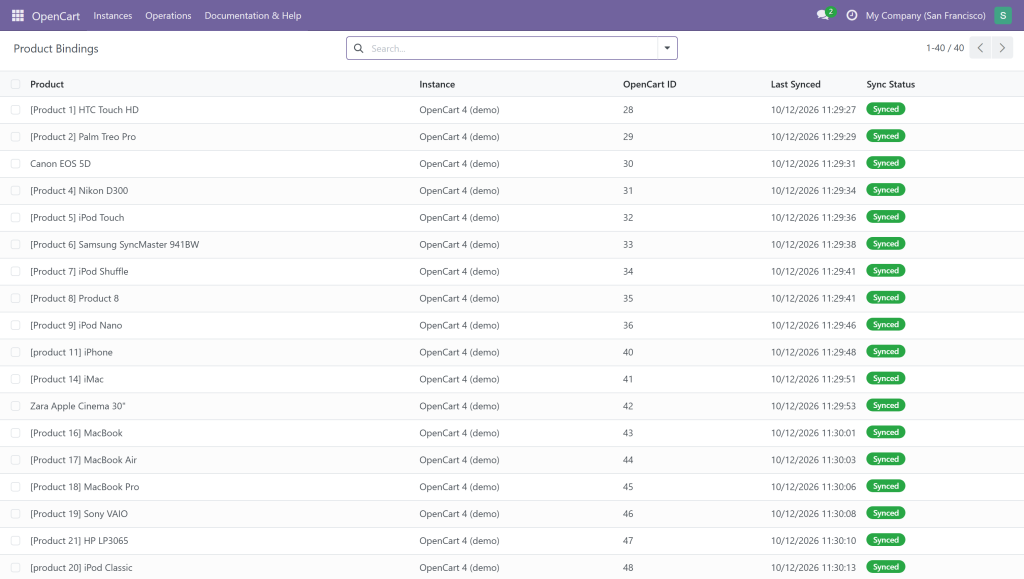
Each OpenCart product is bound to its Odoo record with its OpenCart ID, last-synced time and status — so you always know exactly what is connected across your OpenCart 3 and OpenCart 4 stores.

Orders import with the exact total

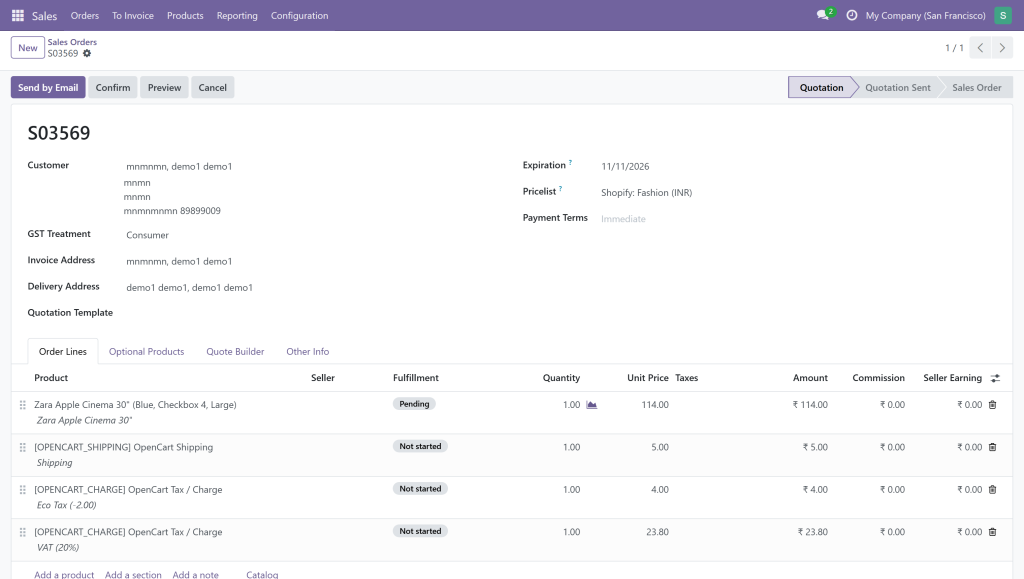
Storefront orders flow into Odoo with the right customer, product variants, shipping and every tax line itemised — so the Odoo total matches your OpenCart total to the cent.

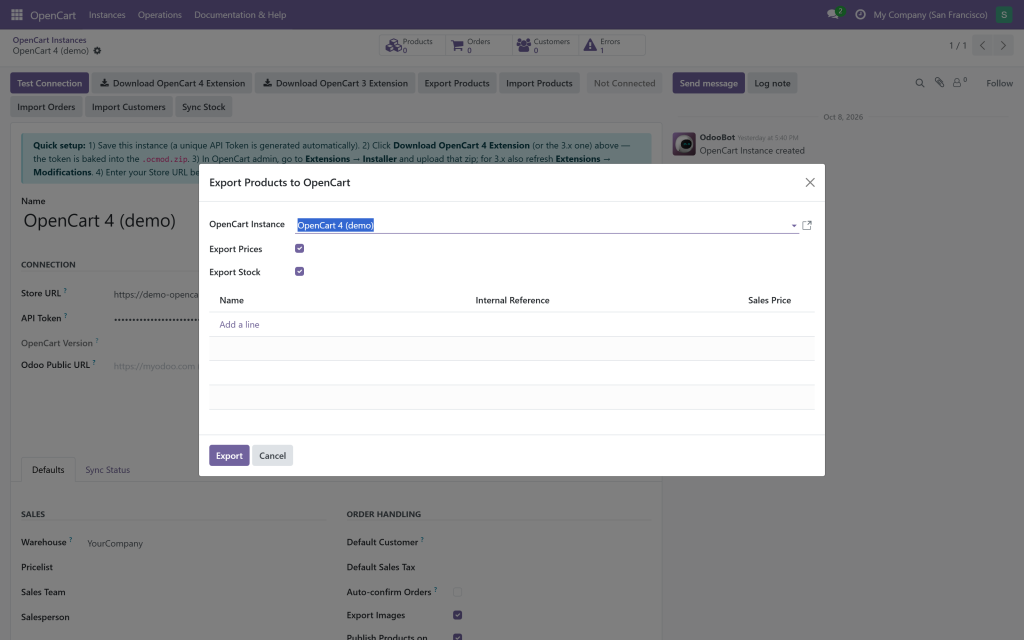
Export products in one click

Push your catalog to OpenCart — products, variants, images, prices and stock — from a simple wizard or the product list.

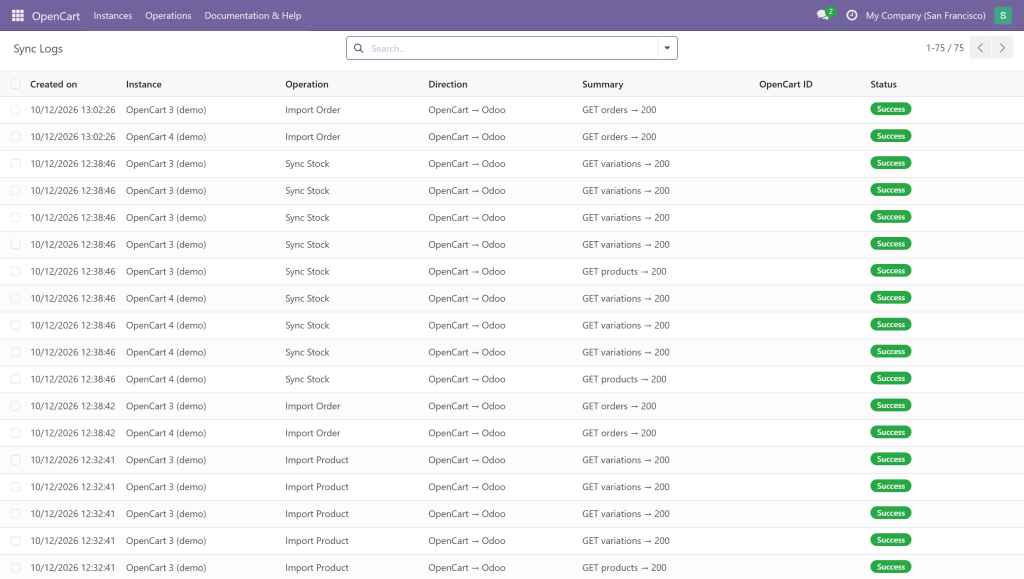
A full audit trail of every sync

Every call is logged with operation, direction and status, so you can watch products, stock and orders moving between OpenCart and Odoo — and spot any issue instantly.

Live in three steps
Install the bridge

In Odoo, add an instance and click Download OpenCart 4 (or 3) Extension. In OpenCart admin, upload the zip via Extensions → Installer.

Test Connection

Enter your Store URL and hit Test Connection — it auto-detects the bridge and your OpenCart version. Pick your warehouse, pricelist and sync options.

Sync & relax

Export your catalog, then let scheduled jobs keep stock and orders flowing both ways — automatically.

Requirements & compatibility

Works with Odoo 18 (Community & Enterprise) and any OpenCart 3.x or 4.x store (via the included companion extension). Standalone — no other connector or base app required. Depends only on standard Odoo apps (Sales, Inventory, Invoicing).

One connector. Both directions. Zero busywork.

Stop copying products and re-keying orders. Let Odoo and OpenCart keep each other up to date so you can focus on selling.

GSP Technologies · Support: [email protected] · Odoo 18 · OpenCart 3.x & 4.x

OpenCart Odoo Connector

$98.72

Subscribe for the great value!

  • Unlimited downloads
  • video, image and more
  • Lifetime commercial license
  • Easy cancellation
Subscribe to download

Similar Products