Your cart is currently empty.

Continue Shopping
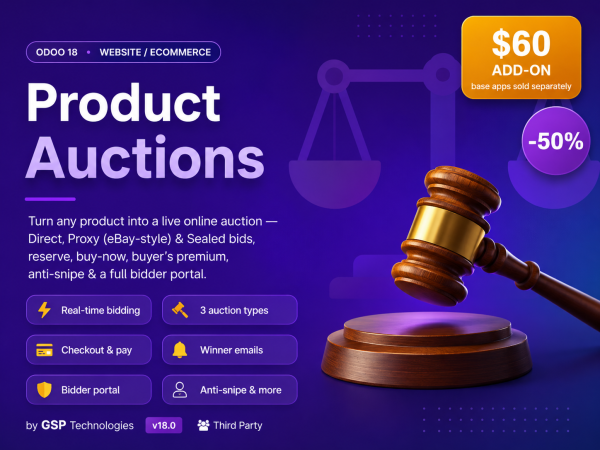
Odoo 18 · Website / eCommerce

Run real online auctions inside your Odoo shop

Turn any product into a live auction — DirectProxy (eBay-style max-bid) or Sealed. Bidders bid in real time with no page reloads, winners check out and pay through your normal Odoo cart, and you manage everything from one backend menu. No external service, no subscription.

Odoo 18 · Website / eCommerceRun real online auctions inside your Odoo shop

Turn any product into a live auction — Direct, Proxy (eBay-style max-bid) or Sealed. Bidders bid in real time with no page reloads, winners check out and pay through your normal Odoo cart, and you manage everything from one backend menu. No external service, no subscription.

Real-time bidding
3 auction types
Reserve & anti-snipe
Buy Now
Buyer's premium
Bidder portal
Cart & payment
Winner emails
Everything includedA complete auction engine
Live, no-reload bidding

Price, bid count, history and the "you're winning" banner update in place; the box polls and swaps to the result the moment the auction closes.

🔨
Three auction types

Direct (your amount becomes the bid), Proxy / Max-bid (eBay-style auto-bidding), and Sealed-bid (hidden until close) — chosen per product.

🛡
Reserve price

A hidden floor price with a live "Reserve met / not met" indicator; below reserve the item goes unsold.

Buy Now

An optional instant-purchase price that ends the auction and drops the item straight into the winner's cart.

💰
Buyer's premium

Add a percentage fee on top of the hammer price as a separate, transparent line on the winner's order.

Anti-snipe / soft-close

A bid in the final minutes extends the end time, so last-second snipers can't steal the lot.

👤
Bidder portal

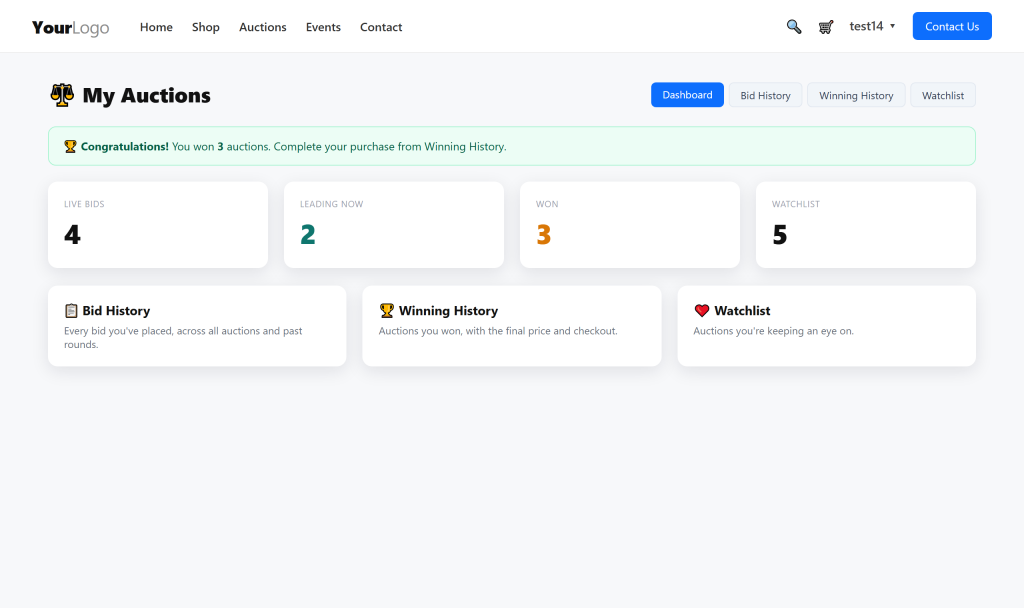
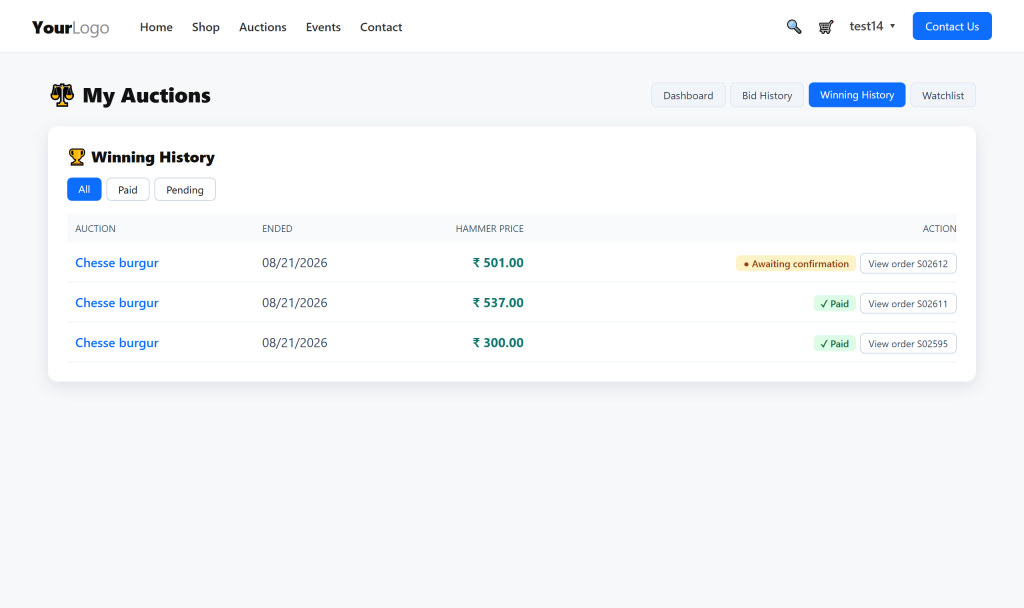
Every customer gets a hub: dashboard KPIs, bid history, winning history and watchlist — filtered and paginated.

🛒
Checkout & pay

Winners pay online through the standard Odoo cart & payment. Orders appear in Auctions › Orders to invoice and deliver.

🔔
Emails & automation

Automatic outbid and winner emails, plus a cron that closes and settles due auctions on its own.

A dedicated storefront for your auctions

A public /auctions page lists every live lot with a countdown, current bid and Live / Ended / All tabs — plus an "Auctions" link in your site menu and footer.

Pick the right auction for every product
Direct

The amount a bidder types becomes the new current bid. Simplest and most familiar — highest bid wins at close (if it meets the reserve).

Proxy / Max-bid

eBay-style. Bidders enter a hidden maximum; the system auto-bids only as high as needed to stay in front. The highest maximum wins.

Sealed-bid

All bids stay hidden until close. Each bidder submits one confidential bid; the highest wins. Perfect for tenders and private sales.

Real-time bidding, zero reloads

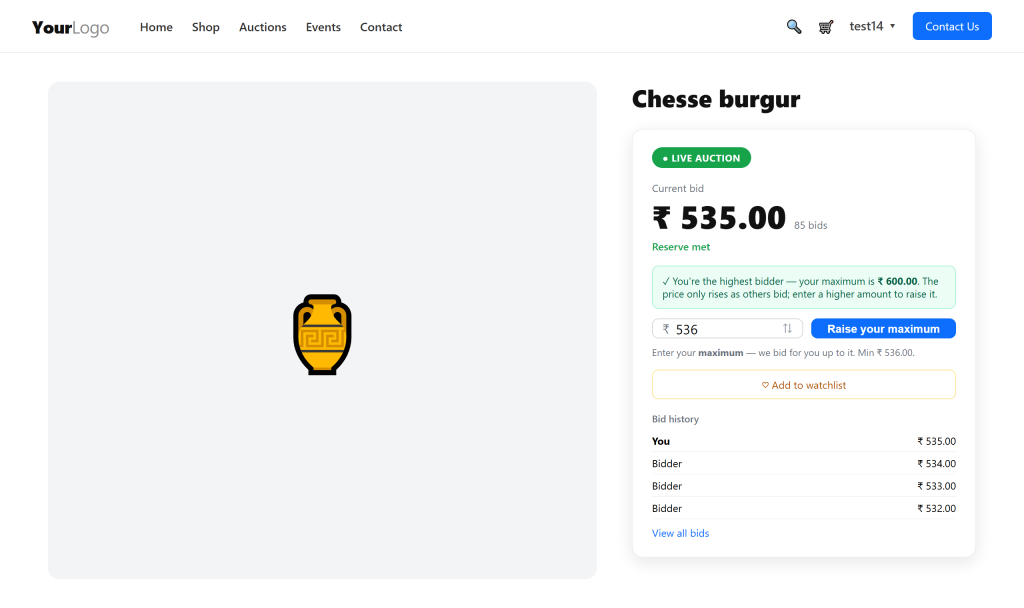
The auction box shows a live LIVE AUCTION badge, countdown, current bid, bid count and reserve status. Place a bid and everything updates instantly — no refresh.

Proxy bidding that does the work

In Proxy mode a bidder sets a maximum and the system bids for them, raising the price only as far as needed to lead. A clear banner shows they're winning and by how much.

Sealed-bid auctions

For tenders and private sales, run a sealed auction: every bidder submits one confidential offer that stays hidden until close. The highest bid that meets the reserve wins.

Full, transparent bid history

A one-click "View all bids" popup shows the complete bid log — timestamped, newest first, bidders anonymised as You / Bidder.

Winners check out & pay — the Odoo way

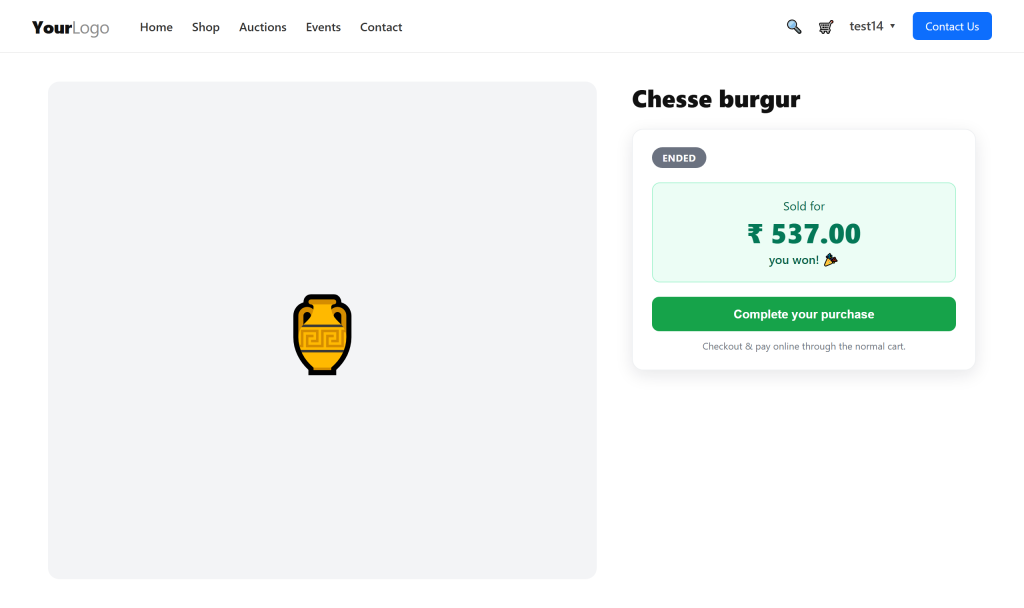
When an auction closes, the winner sees "Sold — you won!" in place, with a Complete your purchase button. The won item (price-pinned to the hammer price) plus the buyer's-premium line go into the normal cart.

A complete bidder portal

Under My Account › Auctions, every customer gets their own hub.

How to use — set up an auction

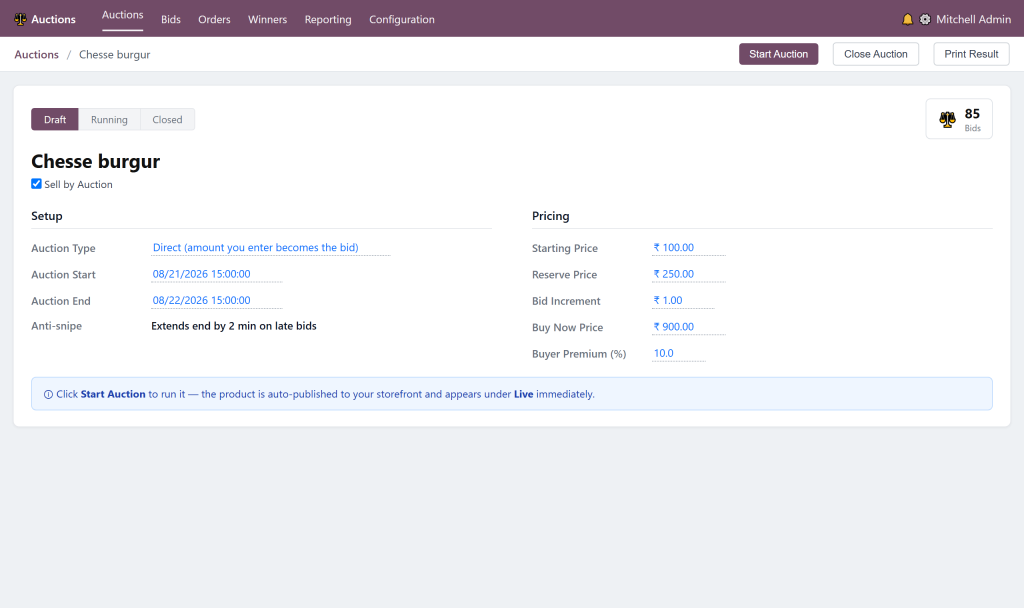
1. Open a product, tick Sell by Auction on the Auction tab.

2. Choose the Auction Type — Direct, Proxy or Sealed.

3. Set Start PriceReserveIncrement, optional Buy Now and Buyer Premium %.

4. Set the Start and End date/time.

5. Click Start Auction — it auto-publishes and appears under Live at /auctions.

6. It closes automatically at the end (or on Buy Now); winner, hammer price and emails are handled for you.

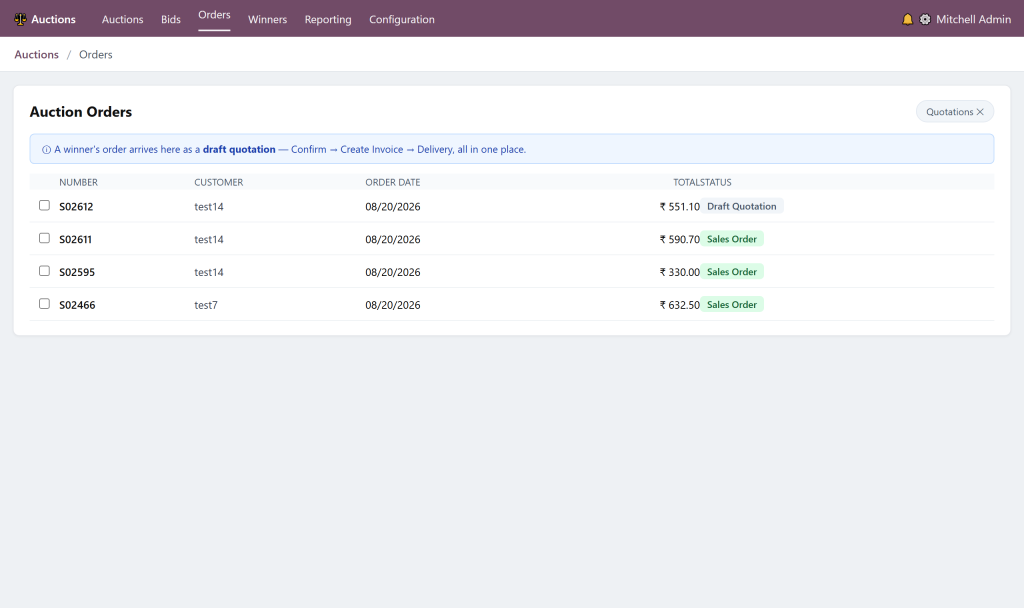
Manage orders in one place

Auctions › Orders lists every order that contains a won item. Confirm, Create Invoice and Delivery — all from here, no jumping to eCommerce or Sales.

Automatic emails & printable results

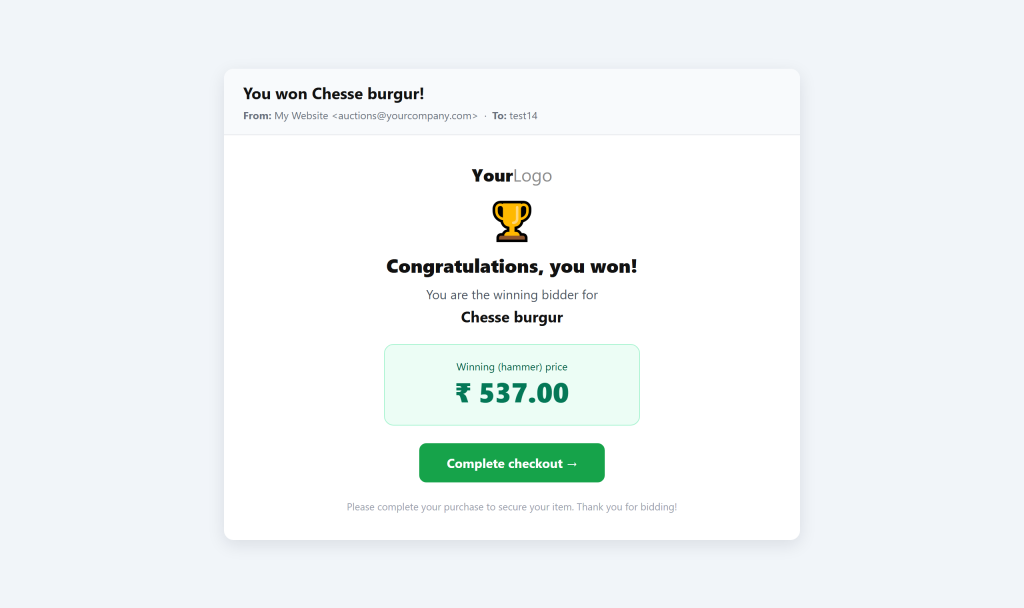
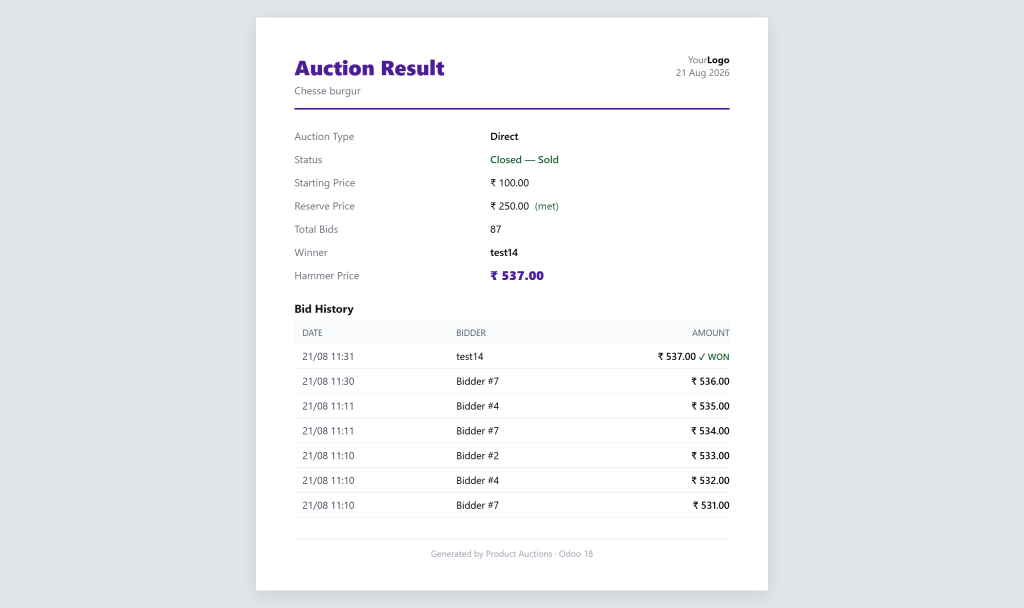
Bidders are emailed the moment they're outbid or when they win — and you can print a professional result sheet for any lot.

Winner & outbid emails fire automatically.
Auction Result PDF — prices, reserve, winner, hammer & full bid log.
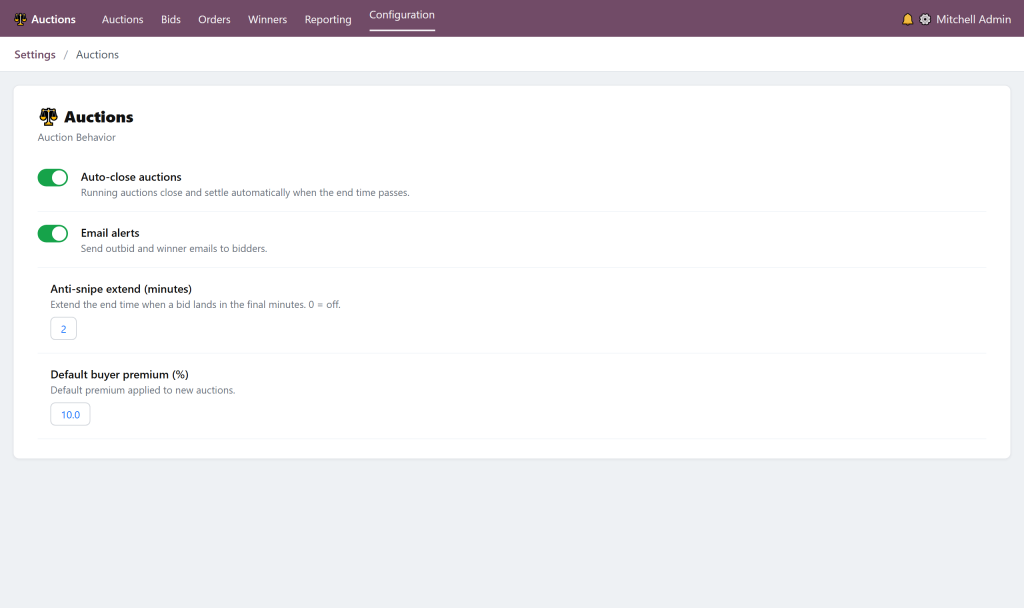
Global controls

Under Settings › Auctions, tune behaviour in one place:

What's included
Compatibility

Product Auctions

$60.02

Subscribe for the great value!

  • Unlimited downloads
  • video, image and more
  • Lifetime commercial license
  • Easy cancellation
Subscribe to download

Similar Products

0.0
0 Sales